Improve Your Typing Speed Like a Pro
Practice typing with beautiful lessons, improve your WPM, and master keyboard skills with a free online typing test.
Easy to use
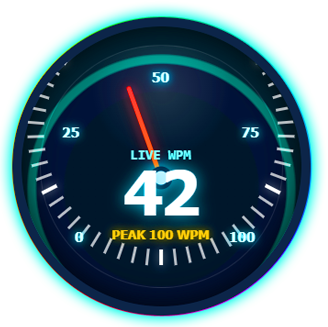
Track Your Speed with a Real-Time WPM Gauge
Visualize your typing speed like never before. Our live WPM gauge updates with every keystroke, pushing you to beat your peak. See exactly where you stand with an animated speedometer that tracks your current words per minute and records your highest score.
- Real-time WPM calculation with a responsive gauge needle
- Peak WPM tracking to challenge your personal best
- Visual speedometer ranging from 0 to 100+ WPM
- Instant visual feedback to keep you motivated
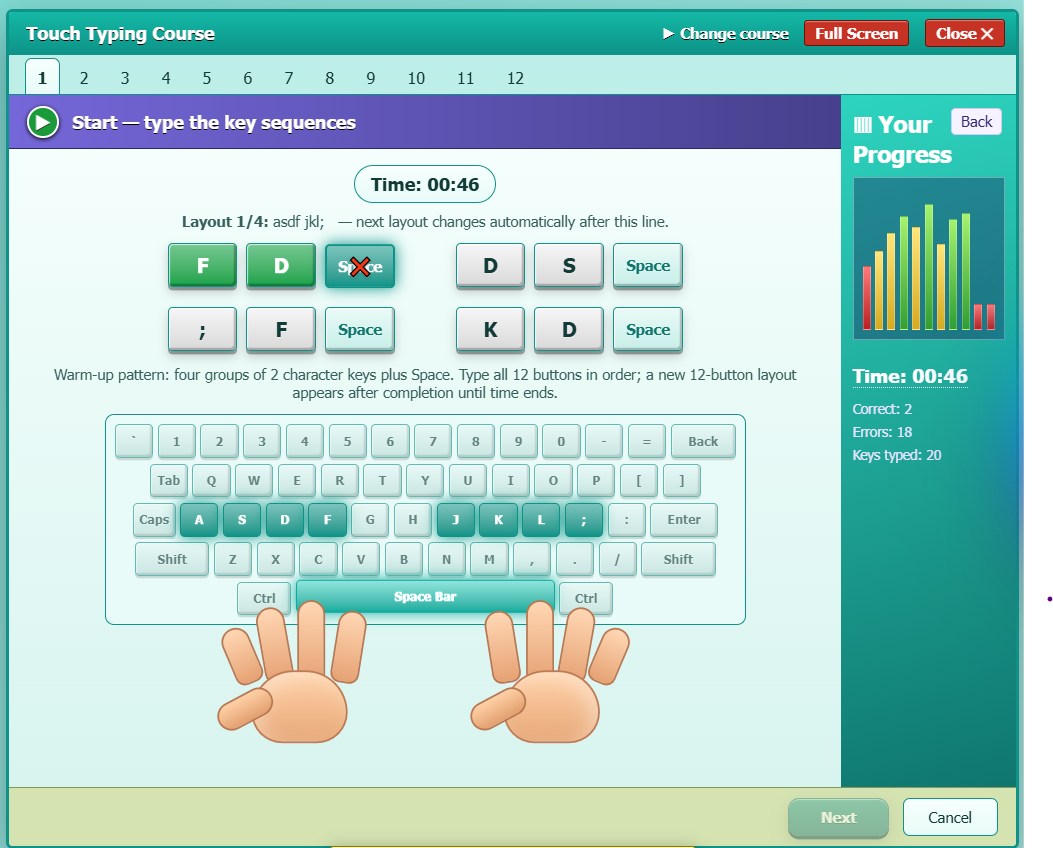
Master Touch Typing with Interactive Keyboard Guidance
Build muscle memory with our structured touch typing course. A full virtual keyboard and animated hand guides show you exactly which finger to use for every key — so you learn the right way from lesson one.
- Visual virtual keyboard with finger-color coding
- Step-by-step key sequence lessons (F, D, S, A…)
- Live progress panel: time, correct, errors & total keys
- Full-screen distraction-free practice mode
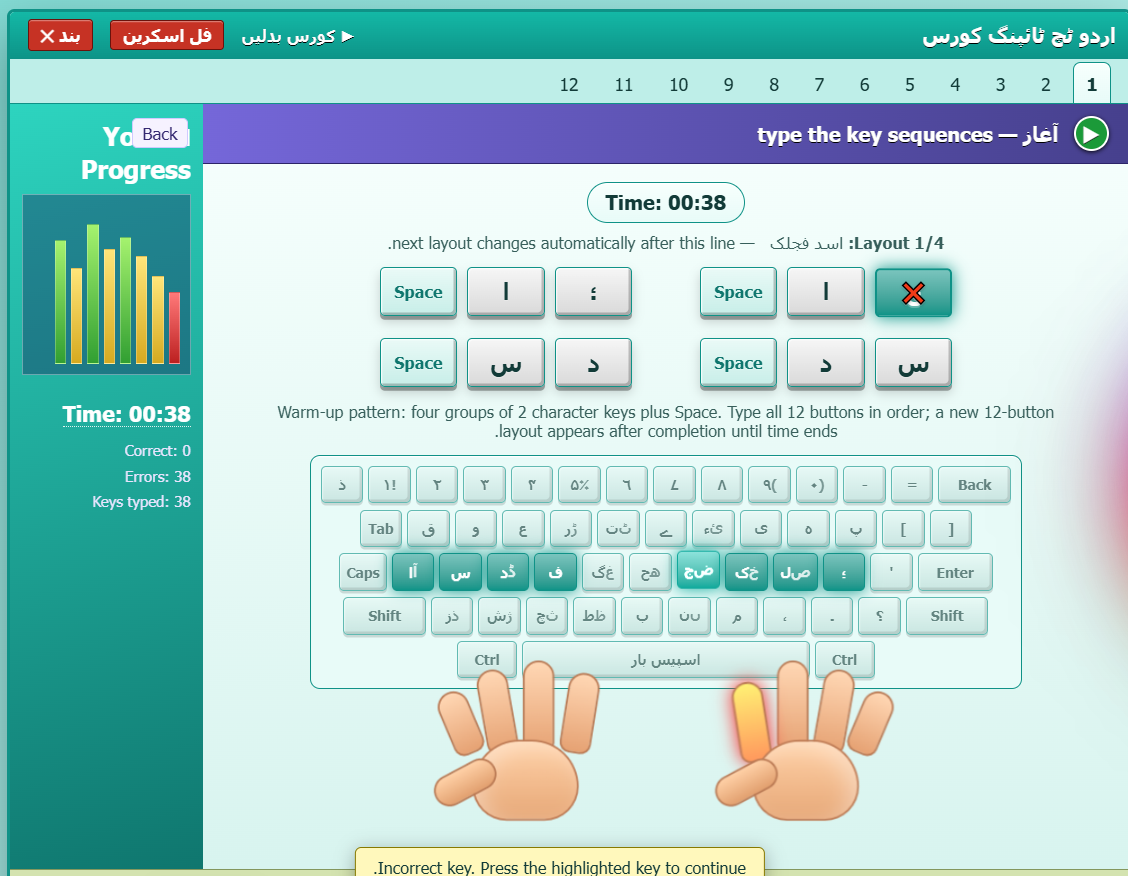
فوراً غلطی کی درستگی جو واقعی سیکھنے میں مدد دے
ہر اردو کی اسٹروک کو real time میں analyze کیا جاتا ہے۔ جب آپ غلط حرف یا key press کرتے ہیں، Urdu Typing Test فوراً درست حرف اور متعلقہ key کو highlight کرتا ہے اور آسان prompt دکھاتا ہے۔ اس طرح ہر غلطی آپ کی Urdu typing accuracy اور speed بہتر کرنے کا موقع بن جاتی ہے۔
- غلطی ہونے پر درست اردو حرف اور متعلقہ key کو highlight کریں
- Live Correct / Errors / Keys Typed counters دکھائیں
- Inline prompts: "Highlighted key دبائیں" / "درست حرف ٹائپ کریں"
- Urdu + English bilingual UI hints تاکہ beginners آسانی سے typing سیکھ سکیں
- Urdu Nastaleeq text support کے ساتھ واضح اور readable typing passage
- Real-time Urdu typing accuracy tracking ہر keystroke پر
- Wrong key پر فوری visual feedback تاکہ user کو فوراً اپنی غلطی کا پتا چل سکے
- Typing practice کے دوران WPM اور accuracy live update ہوں
- Mistakes کی نشاندہی تاکہ user بار بار غلط حروف کی practice کر سکے
- Urdu keyboard guidance beginners کو صحیح keys سیکھنے میں مدد دے
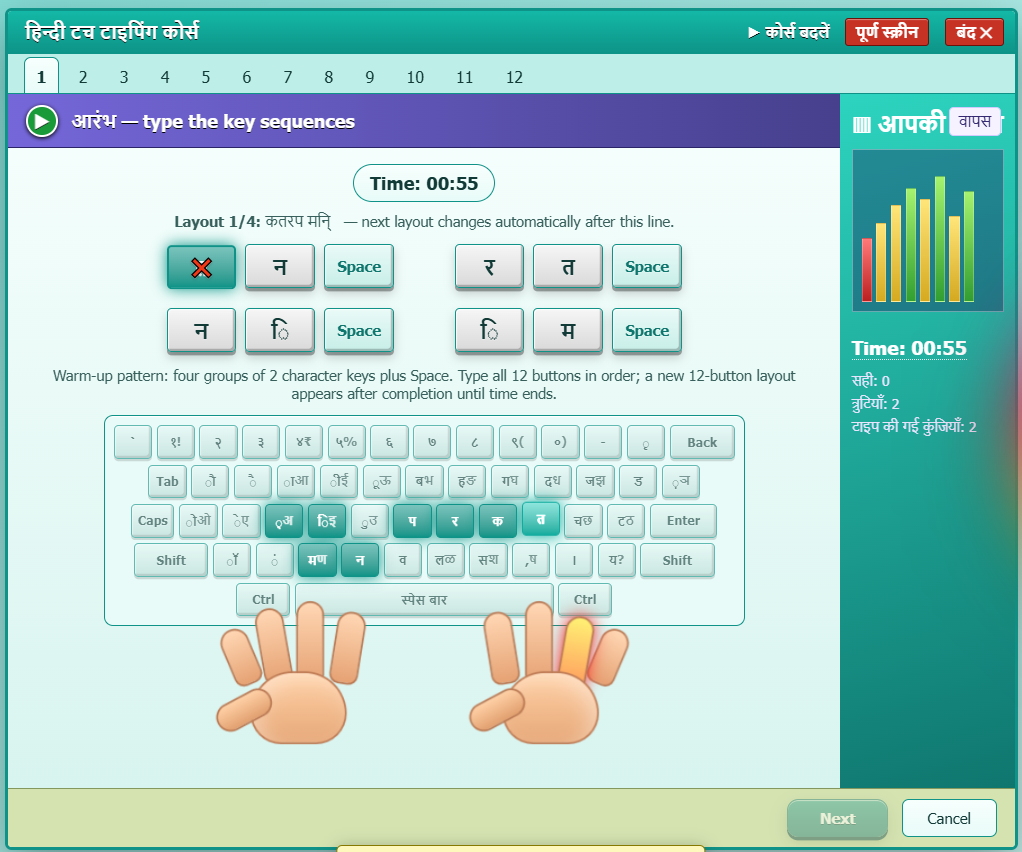
Learn Hindi Typing in Devanagari Script
हिंदी टाइपिंग एकाडेमी — practice Devanagari typing with our specialized Hindi keyboard layout. Step through key sequences mapped to the official Hindi typewriter layout and track your progress keystroke by keystroke.
- Full Devanagari character support (क ख ग घ ङ…)
- Hindi Inscript & Remington keyboard layouts
- Bilingual instruction in Hindi + English
- Progress timeline with time and accuracy
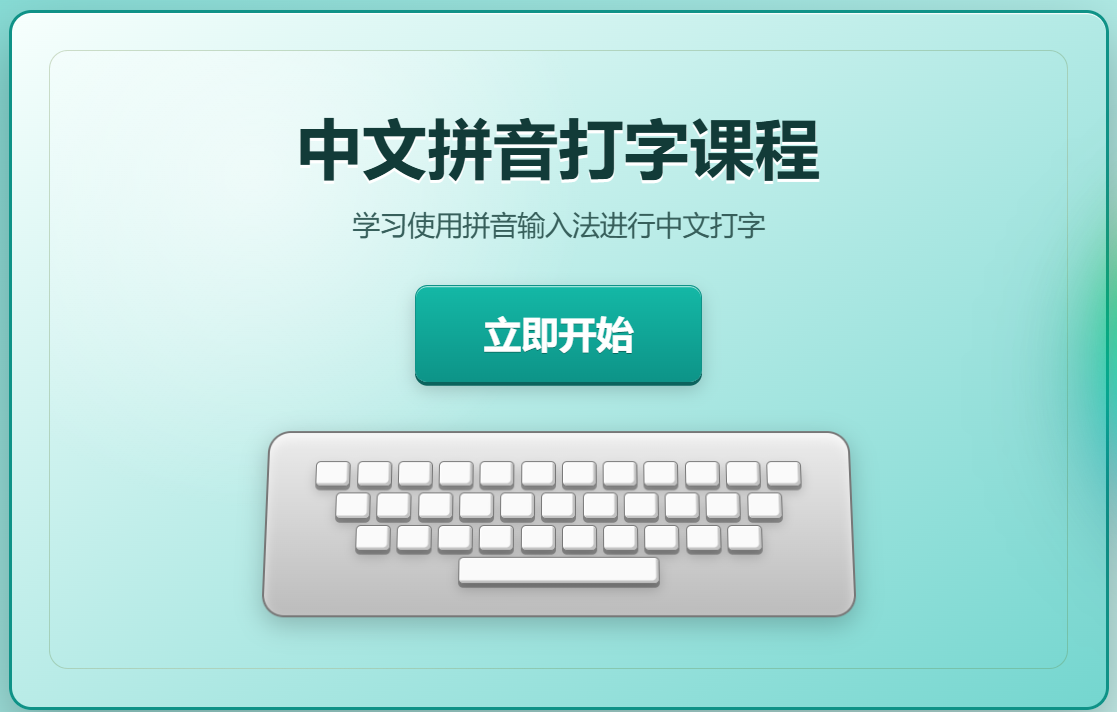
Chinese Pinyin Typing Course for Beginners
学习使用拼音输入法进行中文打字 — our Chinese Pinyin course walks you through every pinyin syllable so you can type Chinese characters fluently. Beautiful onboarding, gentle pacing, and a clear learning path.
- All 400+ pinyin syllables covered
- Step-by-step input method tutorials
- Bilingual guidance (中文 + English)
- Clean start screen with clear call-to-action
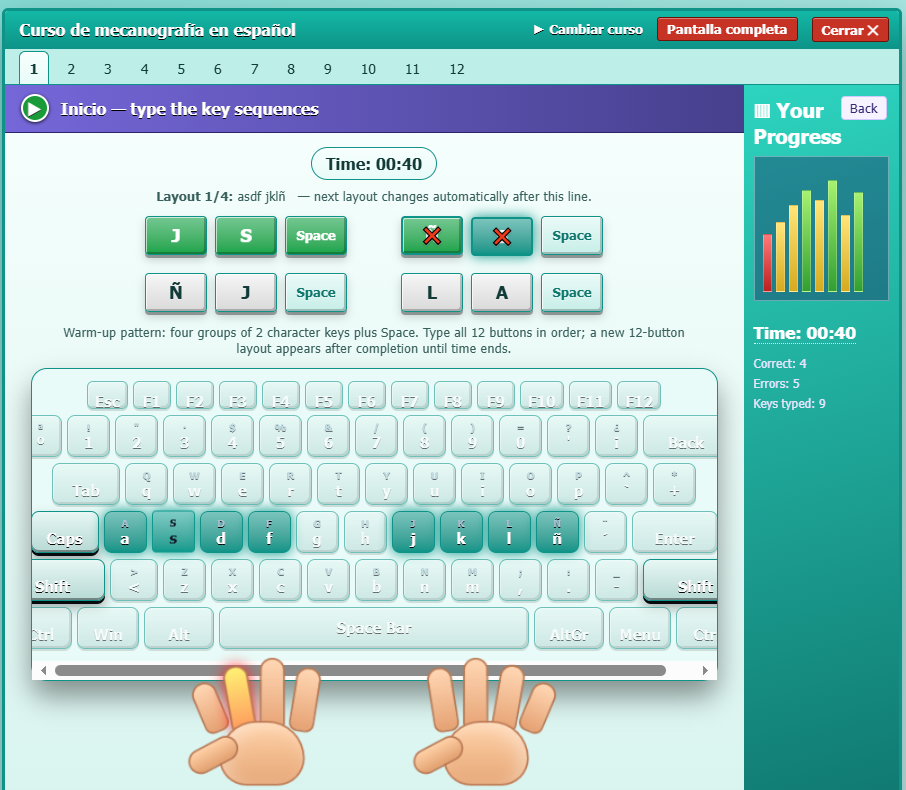
Master Spanish Typing with Interactive Lessons
Mejora tu velocidad y precisión — practice Spanish typing with our specialized course. A full virtual keyboard and animated hand guides show you exactly which finger to use for every key, from basic sequences to advanced punctuation (¿? ¡!).
- Complete Spanish alphabet and special characters support (Ñ, ¿, ¡)
- Real-time progress tracking: Correct, Errors, Keys typed, and Time
- Step-by-step key sequence lessons (J, S, Space…)
- Bilingual UI hints for non-native Spanish learners
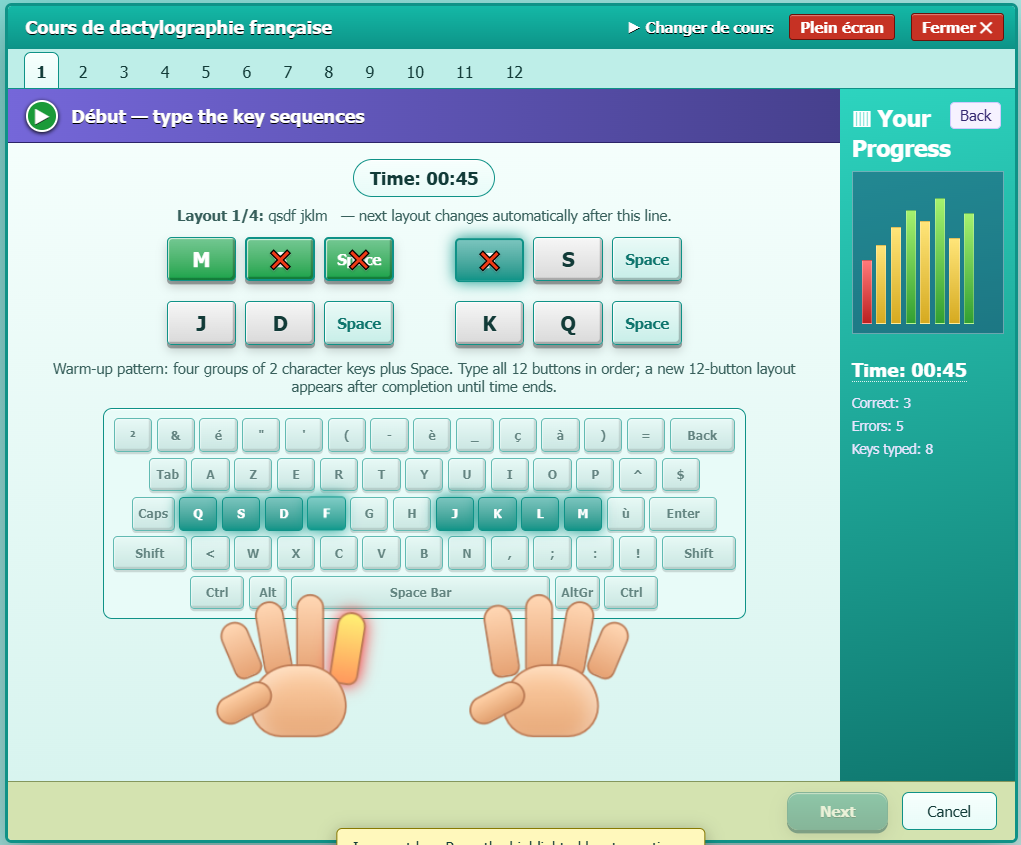
Learn French Typing with Interactive Guidance
Améliorez votre vitesse et précision — practice French typing with our structured course. A full virtual keyboard and animated hand guides show you exactly which finger to use for every key, specifically designed for the AZERTY layout and French accents.
- Full French AZERTY keyboard layout and accents support (é, è, à, ç)
- Real-time progress tracking: Correct, Errors, Keys typed, and Time
- Step-by-step key sequence lessons (Q, S, D, F…)
- Animated hand guides for perfect finger placement
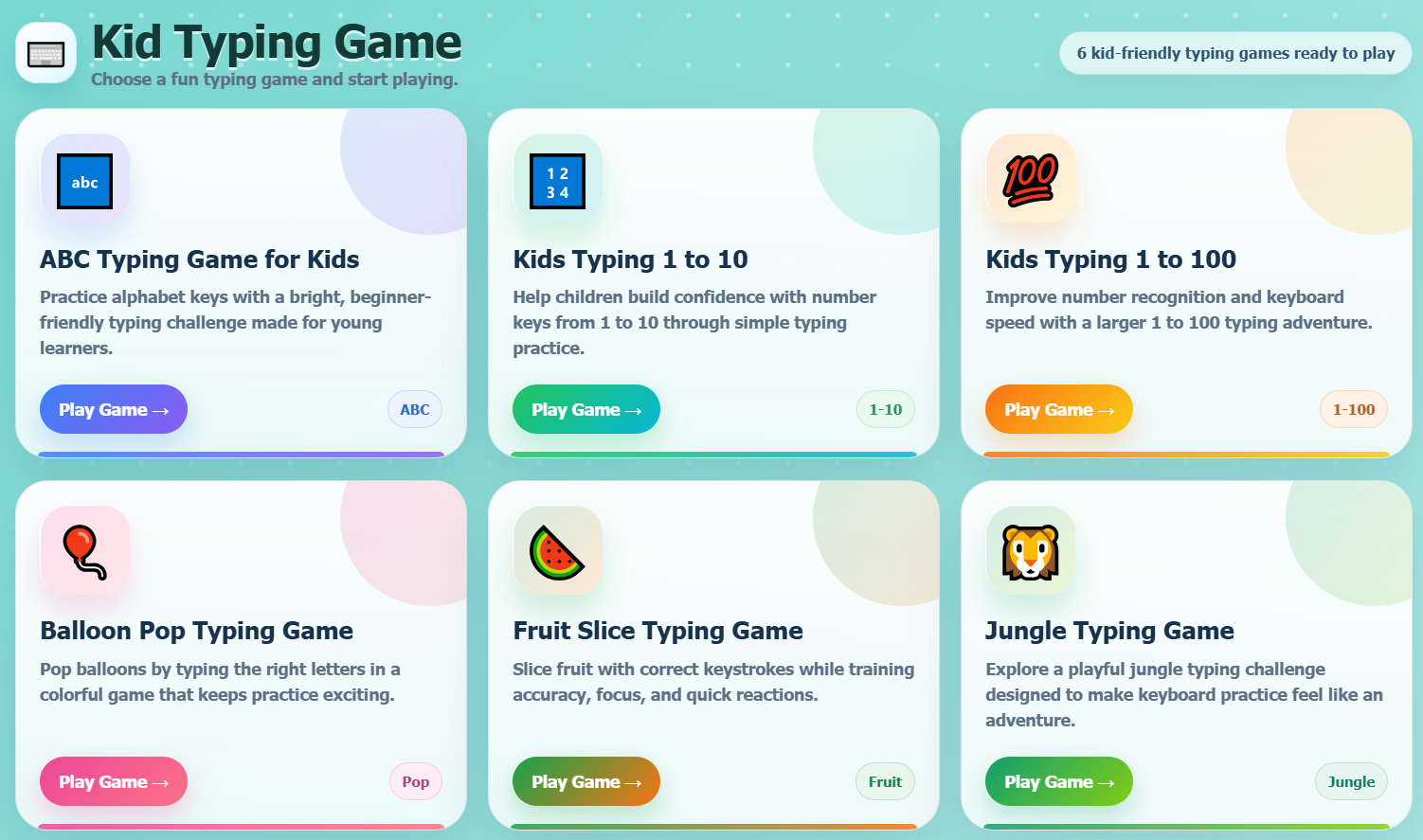
Fun Typing Games That Kids Actually Love
Turn typing practice into playtime with six colorful, kid-friendly games. From ABC letter practice to Balloon Pop and Fruit Slice — children build keyboard confidence without even realizing they're learning.
- ABC Typing Game — letter recognition
- Kids Typing 1–10 and 1–100 — number fluency
- Balloon Pop & Fruit Slice — reaction training
- Jungle Typing Game — adventure-based learning
Play Themed Typing Games for Endless Fun
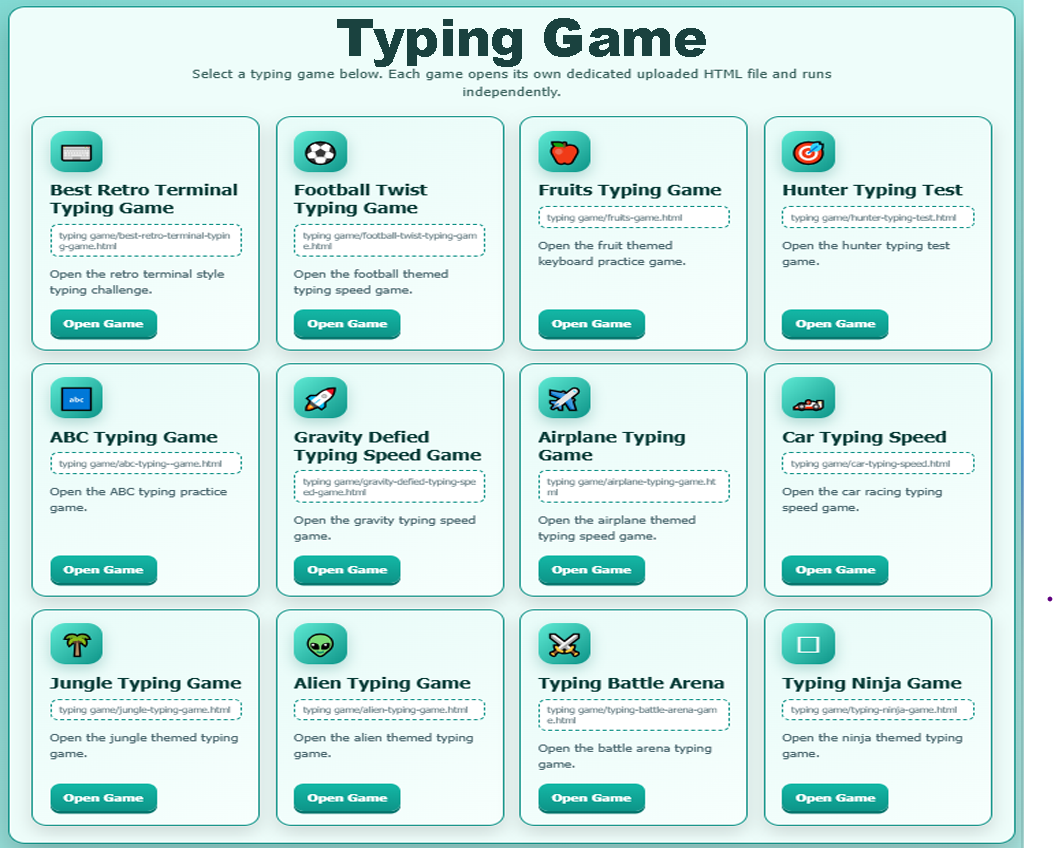
Challenge yourself with our collection of themed typing games. From retro terminal hacking to football and fruit-slicing action, each game runs independently in your browser to test your speed and accuracy in uniquely entertaining environments.
- Best Retro Terminal Typing Game — coder & hacker vibe
- Football Twist Typing Game — sports-themed speed drills
- Fruit Slice & Action Games — high-energy reaction practice
- Standalone HTML Game Files — lightning-fast loading
Built for real progress
Every lesson is designed to build muscle memory, typing accuracy, and speed — one keystroke at a time.
Real-Time WPM Tracking
Track your words-per-minute and accuracy live as you type, so you always know exactly where you stand.
Guided Typing Lessons
Structured drills that take you from home-row basics to full-speed paragraphs at your own pace.
Track Your Progress
See your typing speed improvement over time with clear stats that celebrate every personal best.
World Wide Languages
Enhance your typing speed and accuracy across multiple languages with our global typing platform. Practice with real-world vocabulary, custom multi-language lessons, and localized text sets designed to improve your speed in English, Spanish, French, Urdu, and more. Track your progress, compete on worldwide leaderboards, and master multilingual typing today!
Typing Speed Games
⚡ Action-Packed Gameplay. Test your speed across beginner, intermediate, and expert difficulty levels. Boost your typing speed, accuracy, and keyboard reflexes with our high-energy typing speed game. Challenge yourself in fast-paced time trials, survive continuous word waves, and track your WPM improvements in real time. Level up your skill, master difficult text challenges, and compete with top typists on global leaderboards today!
Kid Typing Game
Turn touch typing into a fun adventure with our engaging, interactive kid typing games! Designed for elementary and middle school students, these kid-friendly typing lessons build foundational keyboarding skills, home row finger placement, and accuracy through colorful challenges, letter-recognition puzzles, and exciting speed races. Help your child boost their Words Per Minute (WPM) and master the QWERTY keyboard—all while having fun in a safe, educational space!
Multi Language Notepad
Type, edit, and save notes effortlessly in any language with our fast, browser-based multi-language notepad! Equipped with full RTL (Right-to-Left) and LTR text support, automatic multi-lingual spell checking, custom font rendering for non-Latin scripts, and instant UTF-8 file export, this online text editor lets you draft multilingual documents, translation snippets, and code notes without losing formatting or special characters. Keep your multilingual thoughts organized, autosaved, and accessible from any device!
Multi-Language Resume Builder
Create professional, ATS-friendly resumes in any language with our multi-language resume builder! Featuring customizable layouts, instant translation toggles, full RTL and LTR text support, and localized formatting templates, this smart resume generator helps you tailor your CV for global employers. Effortlessly translate achievements, preserve layout formatting across different alphabets and scripts, and download polished PDF resumes ready for international job markets!
Photo Editor
Edit photos online with professional, Photoshop-style tools right in your browser! Featuring full layer support, advanced blending modes, custom filters, background removal, vector shape tools, and precision retouching capabilities, this powerful web-based image editor handles PSD files, PNGs, and JPEGs with ease. Design social media graphics, touch up portraits, or create stunning digital artwork effortlessly—no heavy software downloads required!
Typing Test Multi Theme
Customize your typing practice environment with our multi-theme, multi-color typing test! Personalize your dashboard with sleek dark modes, vibrant neon styles, eye-soothing pastel palettes, and high-contrast accessibility themes designed to eliminate eye strain. Track your Words Per Minute (WPM), test your accuracy in real time, and enjoy a comfortable, visually tailored keyboarding experience suited to your unique style!
🇬🇧 English Typing Test
Measure your speed and accuracy with our free online English typing test! Practice with real-world English vocabulary, common word combinations, and timed 1-minute, 3-minute, or 5-minute typing challenges designed to increase your Words Per Minute (WPM). Perfect for beginners mastering the standard QWERTY keyboard, students preparing for exams, and professionals aiming to boost workplace productivity!
🇪🇸 Spanish Typing Test
Boost your typing speed and accuracy in Spanish with our free online Spanish typing test! Practice with native vocabulary, accented characters (á, é, í, ó, ú, ñ), and special punctuation marks to increase your Words Per Minute (WPM) and precision. Ideal for students, bilingual professionals, translators, and language learners looking to master the Spanish keyboard layout!
🇨🇳 Mandarin Chinese Typing Test
Master Chinese character input and boost your typing speed with our interactive Mandarin Chinese typing test! Practice typing with standard Pinyin input methods, improve your character recognition speed, and enhance your WPM (Words Per Minute) using simplified and traditional text sets. Perfect for students, translators, and business professionals looking to type Chinese fluently on digital devices!
🇮🇳 Hindi Typing Test
Boost your typing speed and accuracy in Hindi with our interactive online Hindi typing test! Practice on standard Devanagari keyboard layouts—including Inscript and Remington Krutidev—using authentic Hindi text sets to improve your WPM (Words Per Minute) and precision. Ideal for government exam aspirants, translators, content creators, and students aiming to master Hindi typing!
🇵🇰 Urdu Typing Test
Evaluate and improve your typing speed in Urdu with our dedicated Urdu typing test! Master standard Pakistani keyboard layouts (Phonetic and InPage), practice with authentic Nastaliq text sets, and enhance your Urdu WPM (Words Per Minute) and accuracy. Ideal for content writers, translators, students, and professionals working with Urdu script online!
Typing Test Practice Resources
Explore country-specific typing practice materials for data entry, clerical, administrative, transcription, and recruitment typing preparation.
USA Typing Test Practice & Data Entry Tests
Practice U.S.-style typing for data entry, dispatch, administrative, and clerical tasks. Improve typing speed, accuracy, keyboard control, and timed test performance with independently prepared exercises.
Pakistan Typing Test Practice for PPSC, FIA & Clerk Exams
Build typing speed and accuracy for Pakistani recruitment categories with independently prepared exercises covering clerical, data-entry, court, and public-sector roles. These materials are practice resources, not official government examination papers.
UK Typing Test Practice & Transcription Tests
Practice UK-style typing, transcription, word-processing, and administrative skills with independently prepared exercises inspired by common workplace and vocational tasks. These are practice materials, not official examination or awarding-body materials.
120+
Lessons50K+
Typists98%
Accuracy Avg4.9★
RatingReady to type faster?
Jump straight into a live typing speed test and see your WPM in under a minute.
Start Typing Test →Frequently Asked Questions
Everything you need to know about improving your typing speed with TypingClick.
TypingClick is a free online typing test platform that helps you measure and improve your typing speed, accuracy, and WPM score through interactive practice lessons.
Practice regularly with structured lessons, focus on accuracy before speed, use proper finger placement on the home row, and track your WPM progress over time with a tool like TypingClick.
WPM stands for Words Per Minute, the standard measurement of typing speed. It's calculated by dividing the number of typed characters by five and adjusting for the time taken.
An online typing test shows you a passage of text to type within a set time limit, then calculates your typing speed in WPM and your accuracy based on correct versus incorrect keystrokes.
Yes, TypingClick is completely free. You can take unlimited typing tests and practice lessons without a subscription or hidden fees.
Slow down at first, keep your fingers on the home row, avoid looking at the keyboard, and practice consistently while paying attention to which keys cause the most errors.
A typing speed of 40 WPM is considered average, 60–70 WPM is good, and above 80 WPM is considered fast, professional-level typing.
Yes. TypingClick is built for every skill level, including complete beginners, with guided lessons that build from basic key familiarity up to full-speed paragraph typing.
Yes, TypingClick tracks your words per minute, accuracy percentage, and error count on every test so you can monitor improvement over time.
No, TypingClick runs entirely in your web browser. There's nothing to install — you can start practicing immediately on desktop or mobile.
WPM stands for Words Per Minute. It is calculated by taking the total number of characters typed divided by 5 (the average word length) per minute, adjusting for any typing errors to give your net speed.
Yes. Our platform provides worldwide multi-language typing tests supporting top scripts like Urdu, Hindi, Mandarin Chinese, Spanish, and full Right-to-Left (RTL) text rendering for seamless localized typing practice.
Absolutely. Our kid typing games feature fun, interactive visual challenges designed to teach home row finger placement, letter recognition, and proper typing posture from scratch.
Yes. Our multi-language resume builder features instant translation toggles, multi-script font rendering, and localized formatting templates so you can export ATS-friendly PDF resumes in any language.
Yes. Our browser-based Photoshop-style photo editor is 100% free and supports full layer management, blend modes, vector shapes, and native PSD file editing without installing any software.